

Bookings made in the chat
Customers pick a time in the conversation. Welkai confirms it and sends the reminder.

| Mon | Tue | Wed | Thu | Fri | |
|---|---|---|---|---|---|
| 10:00 am | Taken | Taken | |||
| 1:00 pm | Taken | Taken | |||
| 3:00 pm | Taken |
Welkai AIYou're booked for Thu at 3:00 pm. See you then!
Reminder set for the day before Thu, 3:00 pm
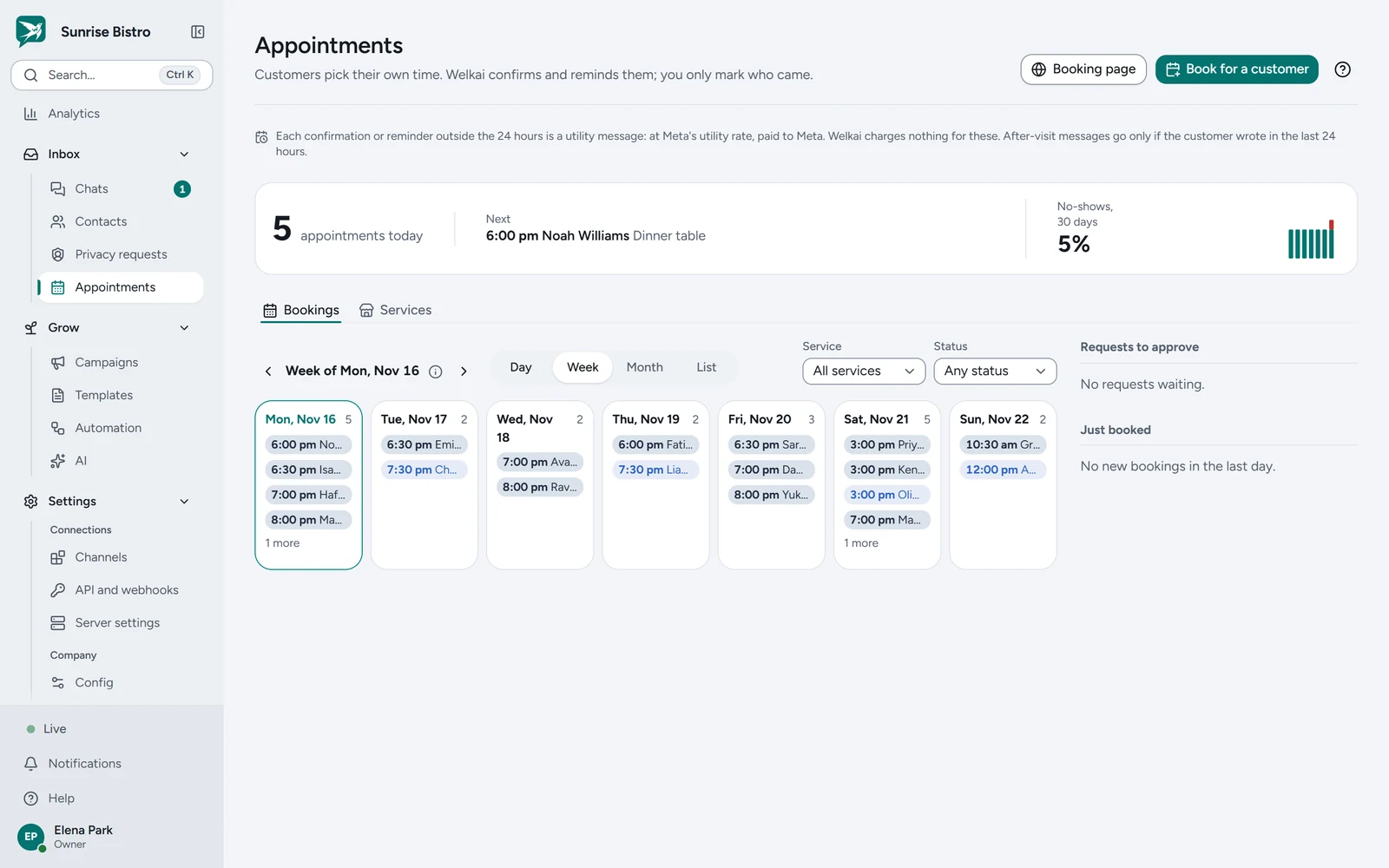
Your week at a glance
Every booking, how it was made, and who came.
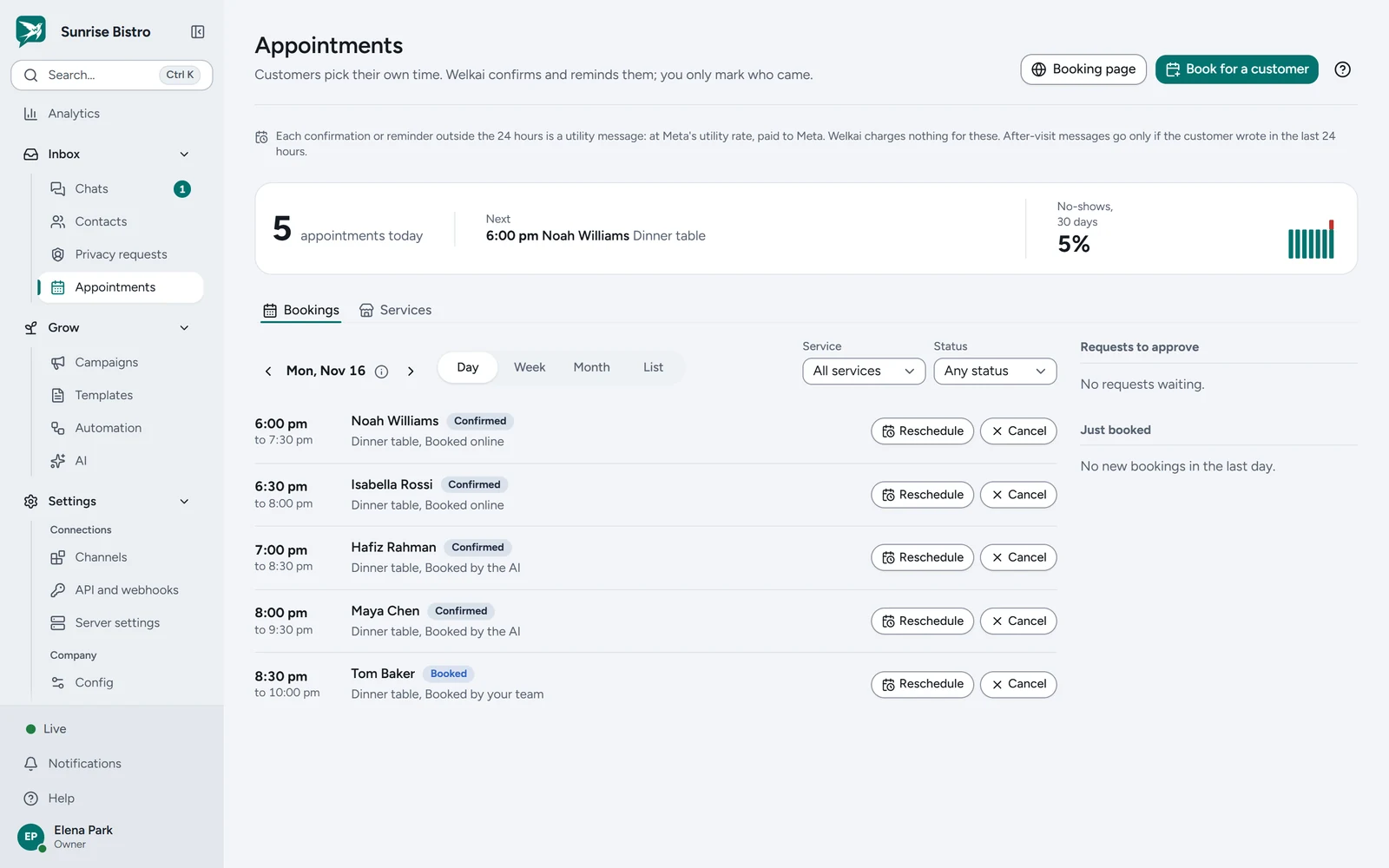
Today, in order
Reschedule or cancel in one tap. Mark who came.
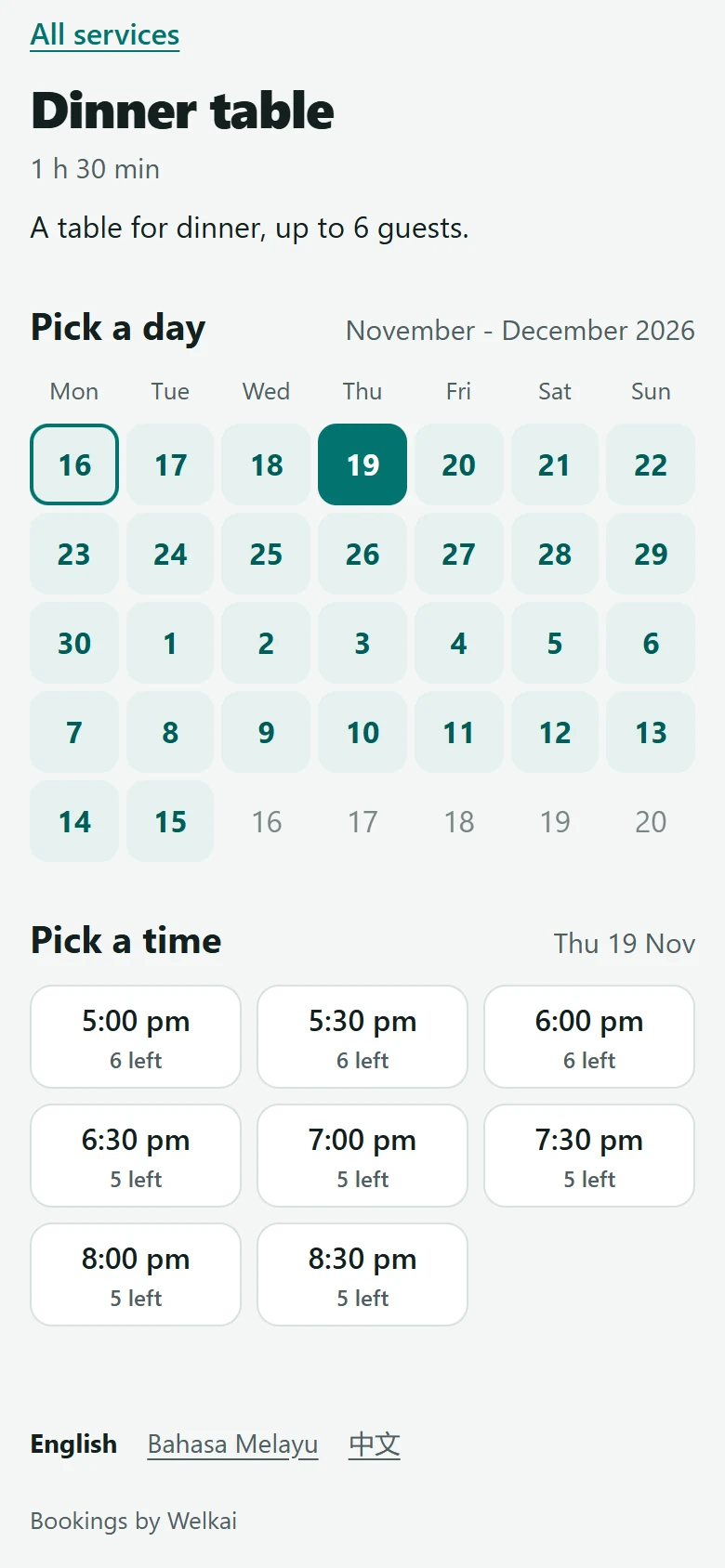
A booking page of your own
Customers pick a day and a free time. No app, no account.
Who it is for
Clinics, salons, workshops, tuition centres, property agents and anyone who sells their time.
How it works
Set your services, how long each one takes and the staff who do them. A flow step or your booking link offers the free times in the chat. The customer picks one, Welkai confirms it, puts it on the calendar and sends a reminder before the visit. Reschedule, cancel and mark who came from the calendar.
Which plan
Your plan sets how many services and staff calendars you can have. The pricing page lists them for each plan, from RM 49 a month.
An example
A dental clinic gets a WhatsApp message asking for a scaling appointment. The flow offers Thursday 3 pm and Friday 10 am, and the patient taps Friday. Welkai books it with the right dentist and sends a reminder the day before. When the patient replies "can change to next week?", the chat lands in the shared inbox for the front desk.
Questions
Do customers need an app or an account?
No. They book in the chat they already use.
What happens when someone cancels?
The time opens again for the next customer, and you see it in the calendar.
Let the AI take the first reply.
Fill the form and get a 30-day free trial code.
Get 30 days free