

What it is
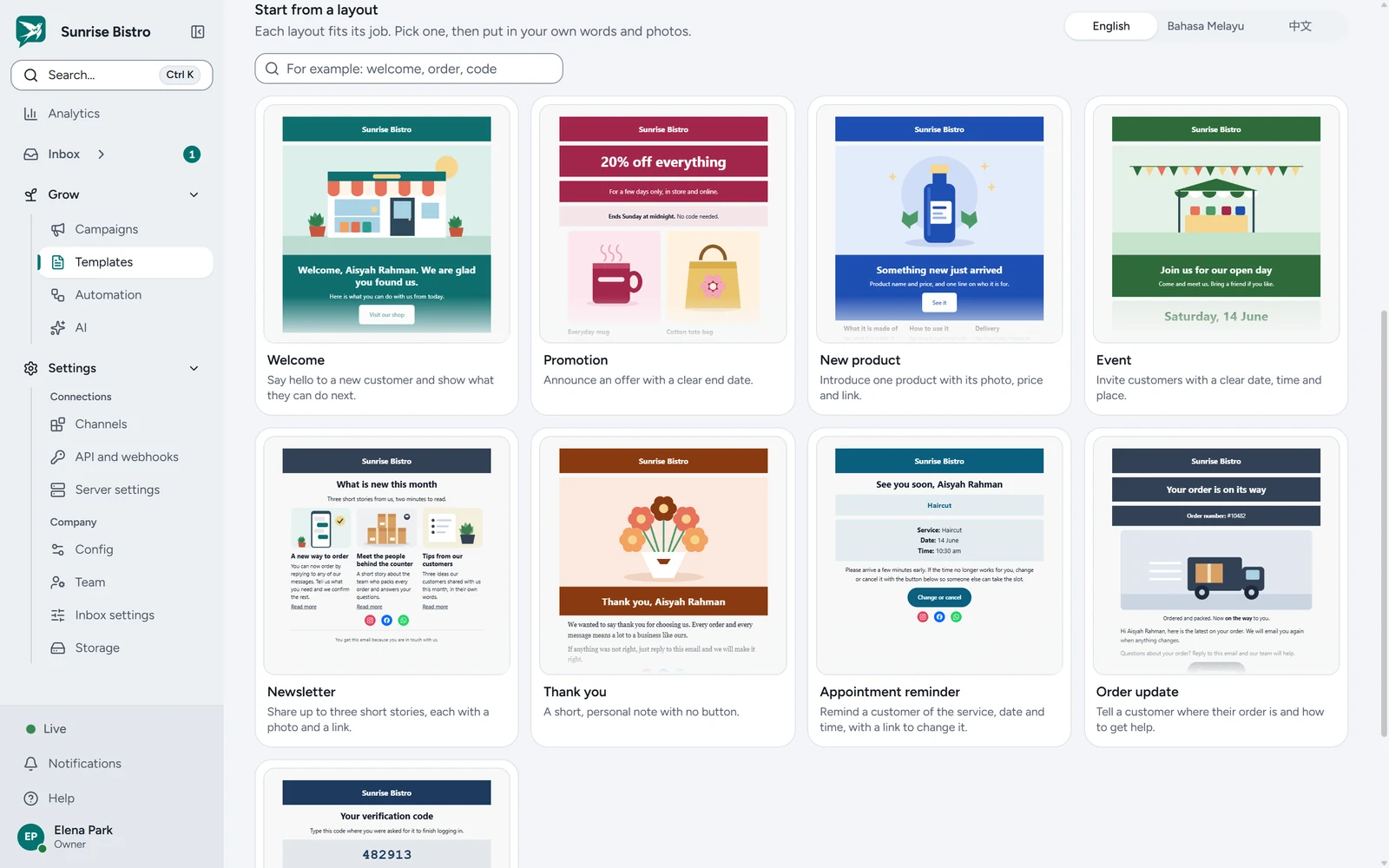
An email template is a designed email made of blocks: Header, Big picture, Heading, Text, Picture, Button, Columns, Product, Divider, Social links and Footer. Welkai turns the blocks into an email that reads well on a computer and a phone, and into a Text version for mail apps that show no pictures.
Use it in Chats with Use a template when you write an email, in a flow's Send email step, in email campaigns, and through the API by its template id. A campaign keeps its own copy, so changing the template later leaves a campaign as it was.
Steps
- Open Templates and the Email tab.
- Under Start from a layout, press Use this on the layout that fits its job, such as a promotion or a thank-you, or start from a Blank email.
- Click a block on the email to change it under Block settings. Drag a block in from Blocks, or click it to add it.
- Fill in Subject and Preview line, the short line shown after the subject in the inbox.
- Read Check, fix every Must fix (many have a Fix it button) and press Save.
Make it look like your shop
Pick a Heading or Text block to give it its own Font, Letter size (S, M, L, XL, or 12 to 40) and Letter colour. The fonts are the ones every mail app has, so the email looks the same everywhere. In a Text block, pick some words and press Bold, Italic or Colour words. The check gives a tip when words are hard to read on their background, or when an email uses more than 2 fonts.
Any block can sit on a Band colour: a soft tint of your accent, the accent itself or a dark band; the words on it turn light or dark so they read. Header puts your logo from business settings (or another picture) on a band, Big picture shows a wide photo with a heading and a button under it, and Columns puts 2 or 3 things side by side on a computer and one under another on a phone.
A Button can be Filled, Outline or Picture: your own button image with Button words that show when pictures are off. Filled and outline buttons take their own colour, Corners and Full width. Social links show Welkai's icons in Colour, Dark, Light or Outline, or Words; use the button under a link to pick an icon from your media library for one place. The Footer takes your Address, with your saved address one tap away.
Pictures, customer details and the check
Pictures come from your media library, after their virus check. Each needs a Picture description, read aloud to people who cannot see it. The pictures in one email may add up to 600 KB; the check names the one to make smaller. Welkai puts them inside the email itself, so they never break later.
Press Add a customer detail to put in a first name or another detail, such as {{first_name|there}}: each person sees their own, and the word after | when it is empty, so "Hi {{first_name|there}}" reads "Hi Aisyah" or "Hi there". The name is the one saved on the contact or the one they gave, never their number. Names from your phone's contacts show only to you and never go into an email.
The check gives a score out of 100. Must fix stops the save and the send: a picture with no description, an empty picture space, fewer than 20 words of text, pictures over 600 KB, a short link such as bit.ly, or more than 3 buttons. A Welkai sample picture, and a link still going to example.com, as the layouts have, are a tip while you edit a template and a Must fix in an email about to go out: it must be fixed before it is sent. A Tip only advises, such as button words that are hard to read or a heading in capital letters.
Test emails and deleting
Send a test sends the email from a Welkai mailbox with "[Test]" before the subject. To me goes to your Google sign-in email, or an email you confirm with a 6-digit code, and is free on every plan. A test goes to you plus up to 3 other addresses, and each other address counts as an email sent; on Solo and Plus, tests go only to your own email. Your business can send 5 tests an hour. A test opens no chat and carries no unsubscribe link.
Deleting a template puts it in the recycle bin for 30 days. Campaigns made from it keep their own copy. Flows that send it keep sending it until it is deleted for good, and the flow editor says it is in the recycle bin; after that, they skip that email until you pick another template.