

What it is and what it costs
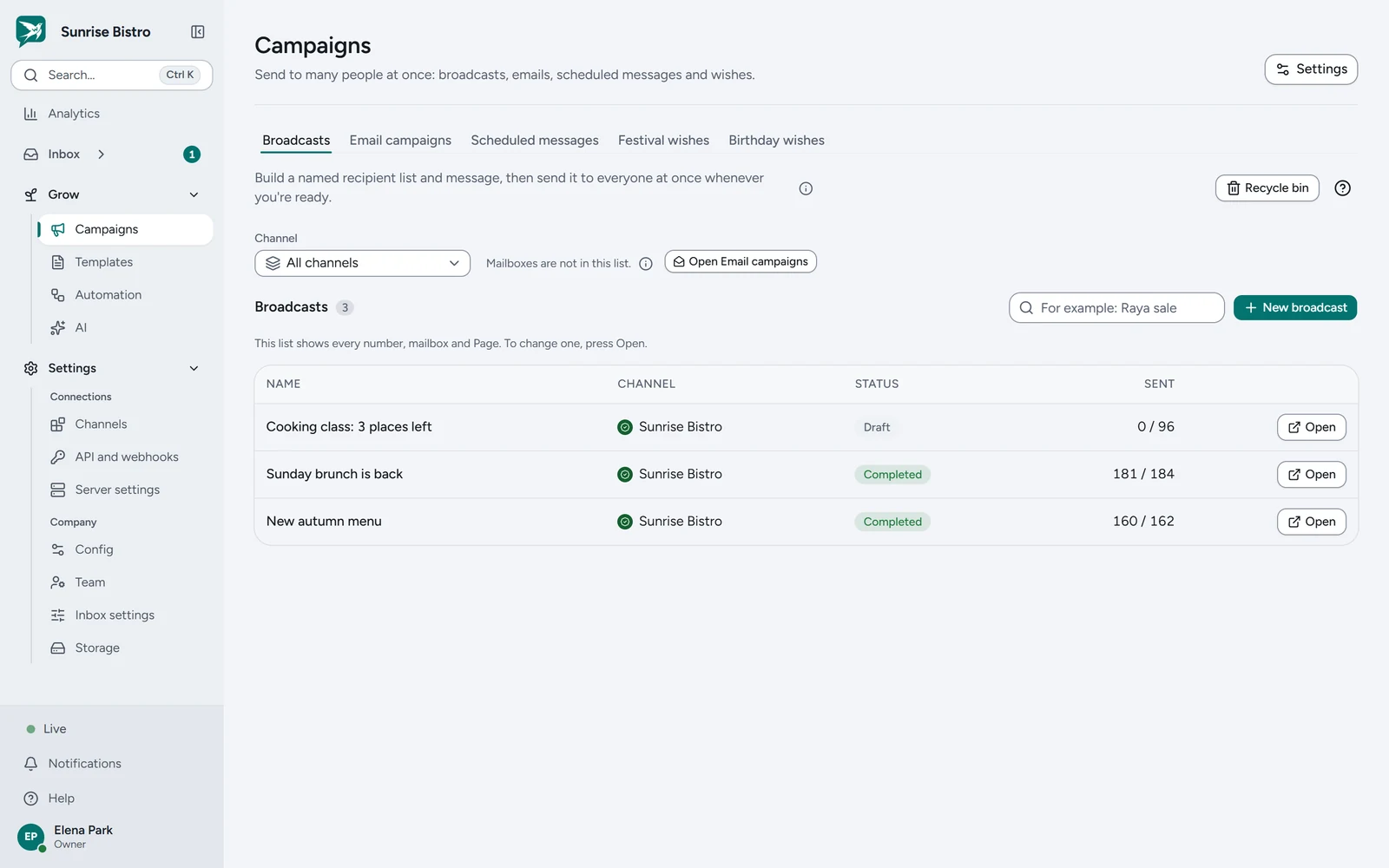
A broadcast sends the same message to each person one by one, as a normal chat. Your plan includes a number of broadcast messages a month; the start dialog shows how many you have left, for example "Free: uses 120 of your 2,000 broadcast messages this month". Broadcasts use no AI credits.
Send only to people who expect to hear from you. Messages to strangers are the fastest way to get a number banned.
Steps
- On Campaigns > Broadcasts, press New broadcast, give it a Name and write the message.
- Choose people under Pick recipients, or By tag to send to everyone with a tag.
- With 2 or more numbers, tick the numbers under Send from to share the load.
- Save. In the list, press Start broadcast on its row, read Before you send, and confirm.
- Open Delivery history to see who got it, with its read and reply rates. See Broadcast results.
What happens next, and when it waits
Messages go out one by one, 4 to 12 seconds apart, so 300 people take about 40 minutes from one number. Each number sends under its own daily limit and only in your sending hours; the rest goes out on the next days by itself. See Send limits.
From several numbers, a big list finishes sooner, and someone who already chatted with one of your numbers gets it from that number. Welkai never uses more numbers to get around one number's limit, and a number sends only this broadcast until it is done.
It says "Waiting": it is outside your sending hours or a number reached today's limit. It carries on by itself.
On Business and Enterprise a broadcast can also wait a few hours while your own server gets more power. It carries on by itself.
"Your plan does not include broadcasts": choose a plan with broadcasts on the Billing page.
A number cannot be ticked under Send from: its health is Risky. See Number health.
From a Telegram bot, a broadcast goes only to people who started the bot and did not block it. From a Telegram account, tick I understand under the ban warning each time you start one, or once when you save a repeating one. People who never wrote to the account count as first messages, at most 20 a day; the rest wait for the next day. See Log in a Telegram account.
Delete moves a broadcast to the recycle bin for 30 days, where you can restore it. See Recycle bin.
Send it every week or month
A broadcast can repeat by itself every week or every month. Each run counts toward your monthly broadcast messages; when this month's are used up, the run is skipped and the series goes on next month.
Each run goes at the same time of day in your business time zone. With By tag, it goes to whoever has the tags at that time, without people who opted out. A monthly run on the 31st goes on the last day of shorter months. If you change your business time zone, the next runs move with it.
A run is also skipped when its time passes while it cannot be sent, when nobody has its tags, or when its start is refused. The row says why, and the series goes on at its next run. When a run is refused or waits for next month, the Owner and the people who send broadcasts from that number also get a notice in the bell.
To end it, choose Stop repeating from its menu: the runs already sent stay in the list. Deleting it stops it while it is in the recycle bin; restored, it goes on from its next run, and runs it missed in the bin are not sent.
- In the broadcast, set Repeat to Every week or Every month.
- Set First run to the date and time of the first send. Later runs go on the same weekday, or the same date each month.
- Leave Last run on (optional) empty to repeat until you stop it, or pick the day of the last run.
- Save. The row shows Every week or Every month and when the next run goes, and its runs button, such as "3 runs", lists the runs: Run 1, Run 2 and so on.
From an official API number
On an official number a broadcast sends an approved template: pick it and fill in its details instead of writing a message. Before you start it, the cost line shows the price, for example "About 1,000 marketing messages × RM 0.3467 = about RM 346.70, paid to Meta by your card. Welkai charges nothing for these." See WhatsApp templates.
These broadcasts don't count toward your plan's monthly broadcast messages, because Meta bills them.
Meta's daily limit sets how many go today: a list bigger than what is left waits until tomorrow and goes on by itself, at a steady pace. Marketing templates skip US numbers and people who turned off marketing in WhatsApp. Send from offers only official numbers on the same WhatsApp Business account.
If Meta pauses the template, refuses your card, or says too many messages were reported as spam, the broadcast pauses. Fix the cause, then press Resume.